
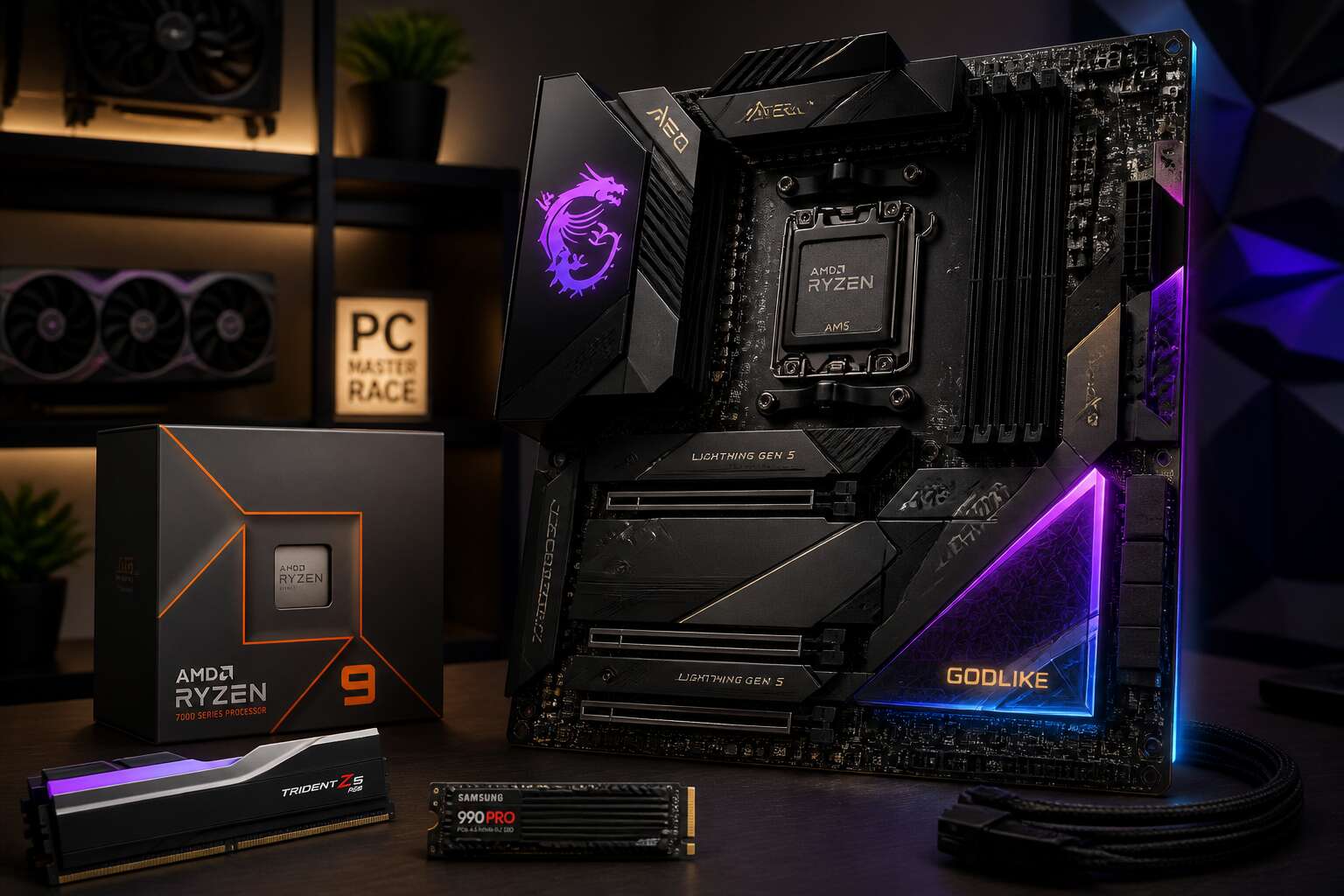
Factors Driving Up AMD Motherboard Prices
Advanced Power Delivery Systems for High Core Count CPUs
The days of cheap, no-frills AMD boards are fading fast. Modern Ryzen processors, particularly the high core count chips, demand far more electrical stability than older generations. If a motherboard’s power delivery buckles under load, you will see throttling, instability, and even shutdowns during everyday work. This engineering pressure is a primary reason why the perception of amd motherboard expensive has become so widespread.
Advanced power delivery systems are essentially small power plants on the circuit board. They use VRM phases to convert and regulate power, but the quality is what drives cost. To handle a 16-core CPU pulling heavy current, manufacturers cannot rely on basic components. They need:
– High-grade alloy chokes to resist heat
– Duplicate or triplicate VRM phases for smoother power
– Digital PWM controllers for precise voltage monitoring
– Dedicated heatsinks with heat pipes to manage thermal load
That list represents a significant jump in component cost. Additionally, the PCB itself becomes more complex, often requiring six layers or more to ensure clean signal traces. The result? An amd motherboard expensive bill reflects the immense electrical foundation demanded by your processor.
PCIe 5.0 Support and Its Manufacturing Costs
PCIe 5.0 forces a shift in motherboard construction. Data transfer rates double every generation, but the tolerance for electrical noise shrinks accordingly. Manufacturers now use materials once reserved for aerospace and networking hardware.
The PCB carries the largest cost burden. PCIe 5.0 signals lose integrity over short distances, so the board requires a low-loss substrate. These materials cost several times more than standard fiberglass composites. Add to that:
- Precision copper trace plating to prevent signal reflection
- Reinforced PCIe slots with metal bracing for heavier cards
- Signal retiming chips placed along the trace path
Every element lands on the final price. I have watched local pricing trends for a year now, and the direction is unmistakable! amd motherboard expensive is no longer a surprise, it is an engineering requirement.
DDR5 Memory Compatibility and Layering Complexity
Memory modules now demand tighter electrical tolerances. DDR5 shifts voltage regulation onto the module itself, forcing motherboard designers to rework trace layouts entirely. The board must accommodate denser routing, wider buses, and stricter impedance requirements. Each additional PCB layer compounds the manufacturing cost. A standard board might use six layers; a modern AMD platform often demands eight or ten. Every layer adds etching, lamination, and testing time.
Consider what stacks onto that base:
- Additional ground planes to isolate memory signals
- Dedicated routing channels for each DIMM slot
- Compensation circuits for signal skew across longer traces
These requirements multiply the price per square centimetre. For South African builders, the reality of amd motherboard expensive pricing starts with this layering complexity. The motherboard must carry more complexity before the processor even draws its first watt.
Premium VRM Cooling Solutions and Heat Sink Designs
I’ve watched the price tags on AM5 boards creep upward, and the heat sink designs deserve a share of the blame. To keep those high current power stages from throttling, manufacturers now bolt on massive aluminum extrusions with heat pipes, nickel plated surfaces, and even active fans on the VRM area. Every fin, every milled groove adds to the manufacturing process, and I can tell you, that engineering is not cheap!
- CNC machined heatsinks replace stamped aluminum
- Multiple heat pipes are soldered into the base
- Thermal pads with high conductivity cost more per unit
This is why amd motherboard expensive is not a myth. The cooling solution must handle sustained loads for hours without overheating. South African builders face this thermal engineering as a hidden cost, but it is a necessary investment for stable performance.
Networking and Audio Upgrades on High-End Models
High end AM5 boards now ship with 10 gigabit Ethernet and Wi Fi 6E as standard. That networking silicon does not come cheap. Realtek controllers are being replaced by Intel and Marvell parts, and each adds a noticeable amount to the bill of materials. For South African gamers and creators, that translates directly into a higher retail price.
The audio side is just as demanding. Flagship models integrate ESS Sabre DACs, dedicated headphone amplifiers, and premium capacitors. You are paying for components that used to require a separate sound card.
- Dedicated audio shielding reduces electromagnetic interference.
- High end op amps drive studio grade headphones.
- Network controllers with onboard packet processing offload the CPU.
This is why amd motherboard expensive is a recurring complaint among local builders. The extra cost buys real hardware, not marketing fluff.
Chipset Tiers and How They Shape the Price Tag
X670E and X670: Flagship Features with a Price Premium
The gap between a mid-range B650 board and a flagship X670E can be staggering. That distance is where the amd motherboard expensive reputation gains traction. X670E and X670 use a dual chipset design, essentially two Promontory silicon components working in tandem.
This architecture doubles the available I/O lanes and USB connectivity. You pay for that complexity. The premium also covers:
– Additional SATA and M.2 slots beyond the CPU direct lanes
– Higher bandwidth for simultaneous device transfers
– Certified support for exotic memory overclocking profiles
For builders running multiple Gen4 SSDs or heavy peripherals, the extra cost is justified. But for a standard gaming rig, the flagship tier remains a luxury. That distinction explains why the amd motherboard expensive label sticks to these boards more than any other component category.
B650E and B650: The Mid-Range Sweet Spot
Stepping down from the flagship tier reveals B650E and B650, where the amd motherboard expensive narrative starts to bend. These boards employ a single chipset, stripping away the dual silicon complexity. What remains is enough I/O for most builders.
The difference between the two is subtle:
- B650E keeps PCIe 5.0 for the primary GPU slot, ideal for future proofing.
- B650 limits PCIe 5.0 to the M.2 socket, lowering trace costs.
Neither tier demands the premium of X670. For a single graphics card and two NVMe drives, B650 delivers nearly all practical performance. The amd motherboard expensive tag fits less because you are not paying for redundant controllers or exotic overclocking certification. South African builders, in particular, weigh these savings against import duties, where every rand saved on the board funds a better CPU.
A620 and Entry-Level Options: What Gets Cut Back
Chipset Tiers and How They Shape the Price Tag
A620 and Entry-Level Options: What Gets Cut Back
A620 is the board you buy when you refuse to pay for what you will never use. It exists to make the amd motherboard expensive equation disappear for budget builders. You lose CPU overclocking, high-speed USB ports, and extra SATA channels. What survives is a no-frills platform that runs Ryzen 7000 and 8000 series processors without drama.
For South African buyers, A620 is a genuine lifeline. Import duties push every component price upward, so the cheapest viable board matters. The savings are real!
To reach that price, manufacturers prune aggressively:
– Plastic chipset heatsinks
– Fewer rear USB ports
– Basic PCB layers
– No onboard power or reset buttons
Those removals do not break daily use. A620 handles office work, web browsing, and light gaming. In my view, the amd motherboard expensive reputation does not apply here, because you are paying for the processor, not the platform.
Processor Compatibility and Future-Proofing Costs
Processor compatibility shifts with each chipset tier, and that directly shapes the amd motherboard expensive equation. An A620 board runs current Ryzen 7000 and 8000 CPUs, but its BIOS update path is narrower. Move up to B650 and the platform gains more headroom for future AGESA updates. X670 owners get the longest support window of all.
– A620: works today, limited future compatibility
– B650: solid compatibility with current and near-future processors
– X670: the longest support window for serious upgraders
In South Africa, replacing a motherboard is a heavy expense. Import duties and shipping fees inflate every component. So paying more now for a board that still accepts a new CPU in two years can save thousands of rands later. The extra cost is not wasted; it is stored value in the platform.
Overclocking Support and Its Influence on Pricing
Overclocking support directly shapes chipset pricing. On the AM5 platform, B650 boards unlock CPU frequency control, while A620 models restrict it entirely. That distinction explains much of the amd motherboard expensive reality. A South African buyer comparing entry level versus mid range boards sees a jump of R1,500 to R2,500, often for no visible hardware difference. The cost sits inside firmware validation and voltage delivery pathways.
What you pay for at each tier:
- Confirmed base clock adjustments for next generation CPUs
- Stable memory overclocking beyond JEDEC specifications
- Long term stress headroom without thermal throttling
These factors push manufacturing budgets upward, and import duties add another 15% to the final rand value.
Why Chipset Choice Matters More Than the Socket
Every AM5 motherboard shares the same socket, yet the price gap between tiers reaches thousands of rands. The socket is a constant. The chipset is where the differentiation begins.
Two boards accepting the same processor can sit at opposite ends of the pricing spectrum. The chipset tier assigns the number of usable lanes, bandwidth allocation, and the feature set reaching the rear I/O. It also governs how many storage devices run at full speed simultaneously.
- Higher tier chipsets unlock additional connectivity pathways
- Lower tier chipsets restrict bandwidth sharing between slots and M.2 drives
- Mid range options balance cost with usable expansion
This hierarchy explains why amd motherboard expensive models exist beyond the socket itself. The socket never changes, but chipset silicon complexity, validation effort, and certification costs accumulate. South African importers pass those expenses directly to buyers, and the tier structure remains the clearest guide to what you receive.
Comparing AMD Motherboard Pricing with Intel Counterparts
Socket Longevity: AM5 vs. LGA 1700 and 1851
The true cost of motherboard pricing often reveals itself when the upgrade path closes. AMD’s AM5 socket carries a premium that Intel’s LGA 1700 and LGA 1851 platforms cannot justify over their lifespans. And yet, the question persists: is amd motherboard expensive, or is it merely honest about its future?
Consider the lifespan. LGA 1700 ended with 14th Gen. LGA 1851 has arrived, but its tenure remains uncertain. AM5, meanwhile, has pledged support through 2027 and beyond. That promise costs money.
- AM5 boards amortise cost across multiple CPU generations.
- Intel boards demand a new socket for each architecture shift.
- The resale value of AM5 boards holds better over time.
I say look past the initial tag when comparing retail prices. The cheaper Intel board may be the expensive one in the end, and the amd motherboard expensive reputation fades once you calculate total ownership costs.
Memory Technology: DDR5 Mandate vs. Hybrid Support
Here is a peculiar inversion: a budget Intel board can still accept DDR4, undercutting the immediate cost of building a new PC. Every AM5 board demands DDR5, and that alone pushes the upfront bill higher! Yet the amd motherboard expensive reputation is not merely about the RAM slots. It stems from a mandated memory standard that Intel chose to straddle, using hybrid support to lower entry prices.
Hybrid memory support introduces hidden costs. Routing two voltage rails, separate trace layouts, and dual BIOS profiles all add engineering expense.
- DDR4 boards freeze you to slower bandwidth once the platform matures.
- DDR5-only boards enable cleaner signal paths for high frequencies.
- Hybrid designs often delay firmware updates due to extra compatibility testing.
The result is that Intel’s cheaper board may feel like a bargain, but the amd motherboard expensive tag evaporates when you measure memory headroom over a multiyear lifecycle.
Power Connection Standards and Board Complexity
Intel’s mid range boards often pair fine with a single 8 pin EPS connector. AMD’s AM5 flagships frequently demand two, along with thicker PCB layers to manage transient spikes. That electrical infrastructure quietly explains why the amd motherboard expensive reputation persists.
Every additional power stage and reinforced socket pin adds validation time. The manufacturer must test for thermal stress, voltage ripple, and long term durability. Those costs land on the invoice. An Intel counterpart at the same price usually spends its budget on extra slots or cosmetic shrouds, because its power delivery needs are simpler.
- Dual EPS connectors require a compatible power supply unit.
- Higher phase counts demand more PWM controller complexity.
- Additional layers increase manufacturing rejection rates.
I have opened both types of boards side by side. The AMD board carries heavier metal, more capacitors, and a denser trace layout. That is why the amd motherboard expensive tag, in this comparison, reflects physical substance rather than marketing markup.
Feature Parity at the Same Price Point
When comparing AMD motherboard pricing with Intel counterparts at the same price point, the budget allocation tells a revealing story. An Intel board in the R2500 range often prioritises extra M.2 slots, Wi-Fi modules, or decorative RGB shrouds. A similarly priced AMD board frequently spends that same budget on the electrical foundation, which is why the amd motherboard expensive perception holds weight among South African builders.
Feature parity becomes a tradeoff between visible extras and invisible stability. The AMD board may lack a second LAN port or premium audio codec, yet it brings more robust VRM phases and better trace routing. For a user planning a three year upgrade cycle, that hidden substance matters. The Intel board looks richer on paper, but the AMD board often handles sustained loads with fewer voltage fluctuations.
Consider what changes when you compare them side by side:
– Intel boards at the same price ship with more rear USB ports and pre installed I/O shields.
– AMD boards spend the equivalent cost on thicker PCB layers and higher grade capacitors.
– Intel boards sell on connector variety, while AMD boards sell on power integrity.
That dynamic explains why the amd motherboard expensive reputation sticks, even when the final invoice reads the same.
Resale Value and Platform Upgrade Path
The resale market tells its own story about why amd motherboard expensive perceptions persist. Because AM5 supports multiple CPU generations, a used AMD board remains relevant for years. Intel counterparts lose value faster, since each new processor generation often demands a different socket.
I have watched South African buyers pay nearly 70% of the original price for a two year old X670E board. The same cannot be said for an equivalent Intel board. The upgrade path is the real value driver. You can buy a mid range AMD board today and slot in a high core count CPU in three years without touching the PCB. That is a serious money saver!
- The CPU socket stays constant, so the board outlives the first processor.
- Intel’s motherboard cycle tends to end with each microarchitecture shift, making the amd motherboard expensive price easier to justify.
When It Makes Sense to Spend More on an AMD Motherboard
Running Top-Tier Ryzen 9 or Threadripper Processors
A 96 core Threadripper can draw more power than a small space heater, so motherboard selection becomes consequential. An amd motherboard expensive by design earns its cost when your workflow demands hours of uninterrupted all core computation. The difference shows up in fault tolerance, not flashy stickers.
Consider these scenarios where extra spending is logical:
- Running overnight simulations that must finish before a client meeting.
- Maintaining a platform for three to five years without unexpected hardware failures.
- Using multiple high bandwidth PCIe devices simultaneously.
In those cases, the premium provides predictability. A cheaper board might handle a boot test, but it reveals limitations under sustained load. For serious users, that tradeoff is not acceptable.
Building a Multi-GPU or High-Bandwidth Storage Rig
Building a multi-GPU rig or a high-bandwidth storage array demands more than cosmetic inspection. A cheap board might present enough slots, yet its internal controller limits data throughput when several devices request access at once. That is where an amd motherboard expensive for the right reasons differs from a cheaper alternative.
For storage, the issue is consistent, uninterrupted throughput during long transfers. For multi-GPU, it is maintaining stable frame delivery across rendering or simulation tasks. An amd motherboard expensive pays for proper lane routing and firmware that allocates bandwidth without compromise.
Consider these factors before purchase:
- Physical spacing that actually fits thick GPUs without blocking airflow.
- Independent PCIe lanes for each storage controller, not shared links.
- Validated support for simultaneous GPU and storage workloads.
These elements are invisible in product photos, but they decide whether a system endures or silently overheats under sustained pressure.
Enthusiast Overclocking and Benchmarking Needs
One benchmark run can expose a board’s true character! For enthusiast overclocking and benchmarking, the goal is repeatable performance, a single lucky screenshot is worthless. In my experience, a stable memory overclock requires precise voltage control and firmware that handles subtimings without intervention.
This is where an amd motherboard expensive for the right reasons earns its cost. The board must maintain consistent power delivery over hours of validation, tolerate thermal stress, and reject instability without crashing. Cheap boards often pass a few runs, then fail on the twentieth iteration. For an enthusiast chasing a top ranking, an amd motherboard expensive premium is a calculated decision.
Consider what matters:
- Voltage offset granularity for per-core tuning.
- BIOS recovery options when a setting goes wrong.
- Power monitoring accuracy during extended loops.
These features are invisible in spec sheets, but they separate a platform you can trust from one that wastes your time.
Future-Proofing for Next-Gen Peripherals and Wi-Fi 7
Future-proofing for next-gen peripherals and Wi-Fi 7 is where an amd motherboard expensive reveals its true value. A cheaper board may include Wi-Fi 6E, but the newer 7 standard handles crowded airwaves better. If you work from home in Johannesburg or Cape Town, where apartment blocks host dozens of networks, that difference matters.
Here is what I look for in a board built for tomorrow’s devices:
- USB4 ports that support 40Gbps data transfer for external drives and docks.
- A Wi-Fi 7 module with tri-band capability and removable antennas.
- At least two PCIe slots running at full bandwidth for future capture cards or networking cards.
An amd motherboard expensive on these features is not vanity. It is the difference between upgrading your entire system or just swapping a peripheral later.
Professional Workloads Requiring Stable Long-Duration Performance
Professional workloads expose a weak motherboard within hours. When your render farm or deep learning cluster runs unattended for days, an amd motherboard expensive choice often separates a finished project from a corrupted file. High end models receive validation for sustained compute sessions, while budget boards only see short stress tests.
- A debug LED panel to catch errors before they cascade.
- Thermal monitoring for the chipset during continuous writes.
- Extended warranty periods that imply manufacturer confidence.
These details matter in a cold server room or a hot Johannesburg office. When your income depends on multi day runs, that premium is a business expense.
Cost-Effective AMD Motherboard Strategies Without Compromise
Evaluating the Right Chipset for Real-World Use
An amd motherboard expensive price tag often reflects capabilities you might never touch. The key is matching the board to your actual workload. For a gaming rig, PCIe 5.0 for storage matters less than solid VRM thermals under sustained loads. For a workstation, extra SATA ports and 10GbE might justify the cost.
I always start by listing the components I plan to install. Then I check the chipset’s lane allocation against that list. This prevents paying for unused bandwidth.
- Number of M.2 slots needed now
- USB ports required for peripherals
- Fan headers for cooling
These factors determine whether a mid-range board suffices. The premium only makes sense when every feature has a purpose.
Buying Previous-Generation Models at Discounted Prices
An amd motherboard expensive launch price drops sharply within months. Buying the previous generation, say a B550 or X570 still in stock, lets you avoid that initial premium without sacrificing core functionality.
These boards handle modern Ryzen CPUs, PCIe 4.0 storage, and robust VRM designs. You lose little for standard gaming or productivity tasks.
- Confirm the BIOS supports your specific processor
- Check for enough USB and fan headers
- Verify M.2 slot count matches your drives
The money you save often funds a stronger CPU or a better cooler. The newest chipset only brings extra features you might never enable, so a discounted board delivers value where it counts.
Identifying Modular Feature Sets That Fit Your Build
An amd motherboard expensive price tag often hides modular features you might never use. Break the board into its functional blocks: power delivery, connectivity, storage, and cooling. Determine which blocks your processor and peripherals actually stress. A Ryzen 5 system doesn’t need a server-grade VRM layout, while a content creation rig may demand extra M.2 slots.
Consider these additions when they match your workload:
– A post-code display for diagnosing boot failures
– An external clock generator for non-X overclocking
– Additional SATA ports for legacy drives
Each module adds cost. When you identify only the ones your build will use, the overall amd motherboard expensive premium shrinks. You pay for capability, not decoration. That distinction shapes a practical purchasing decision.
Timing Purchases Around New Product Launches
Waiting for the next chipset release can change your budget calculus. When a new generation lands, the previous flagship’s price often drops sharply. That moment turns an amd motherboard expensive product into a reasonable upgrade for your build.
Timing hinges on retail cycles and launch dates. The window of opportunity includes:
- pre launch price drops from existing stock
- immediate markdowns on last gen models
- bundled deals with CPUs or memory
Buying just after a launch gives you leverage. Sellers clear older inventory, and the premium tag on these models becomes negotiable. Without a need for the newest feature set, you avoid the initial price premium.
Choosing Micro-ATX and Mini-ITX to Save While Retaining Power
Micro-ATX and Mini-ITX boards often carry a smaller price tag than their full ATX siblings, yet they still hold the same AM5 socket and chipset muscle. A B650M board can deliver PCIe 5.0 for storage and robust VRM cooling at a fraction of the cost. You lose expansion slots, not processing power. For most builds, those extra slots sit empty anyway.
Consider what actually connects to your board. One GPU, one NVMe drive, a couple of SATA disks. That profile fits micro-ATX perfectly. Mini-ITX goes further, shrinking the footprint for compact cases, but expect a premium for the small size. The middle ground, micro-ATX, offers the best savings without compromise. This is one way to stop an amd motherboard expensive from breaking your budget.
Refurbished and Open-Box Options: Pros and Cons
Refurbished and open-box boards offer a different path around the amd motherboard expensive reality. Retailers test these units, so the risk is lower than buying used from a stranger. I have seen open-box boards sell for 30% less than their sealed counterparts, with the same B650 chipset and PCIe 5.0 support intact.
Weigh these factors before you commit.
- Pros: tested hardware, steep discount, full retail warranty on many units.
- Cons: limited stock, no choice of board revision, minor cosmetic damage possible.
Open-box units often come from returned builds where the buyer switched platforms. A board with a scratched heat sink still runs perfectly. The key is buying from a vendor that publishes the return reason. That detail keeps you from purchasing a defective unit.
0 Comments