
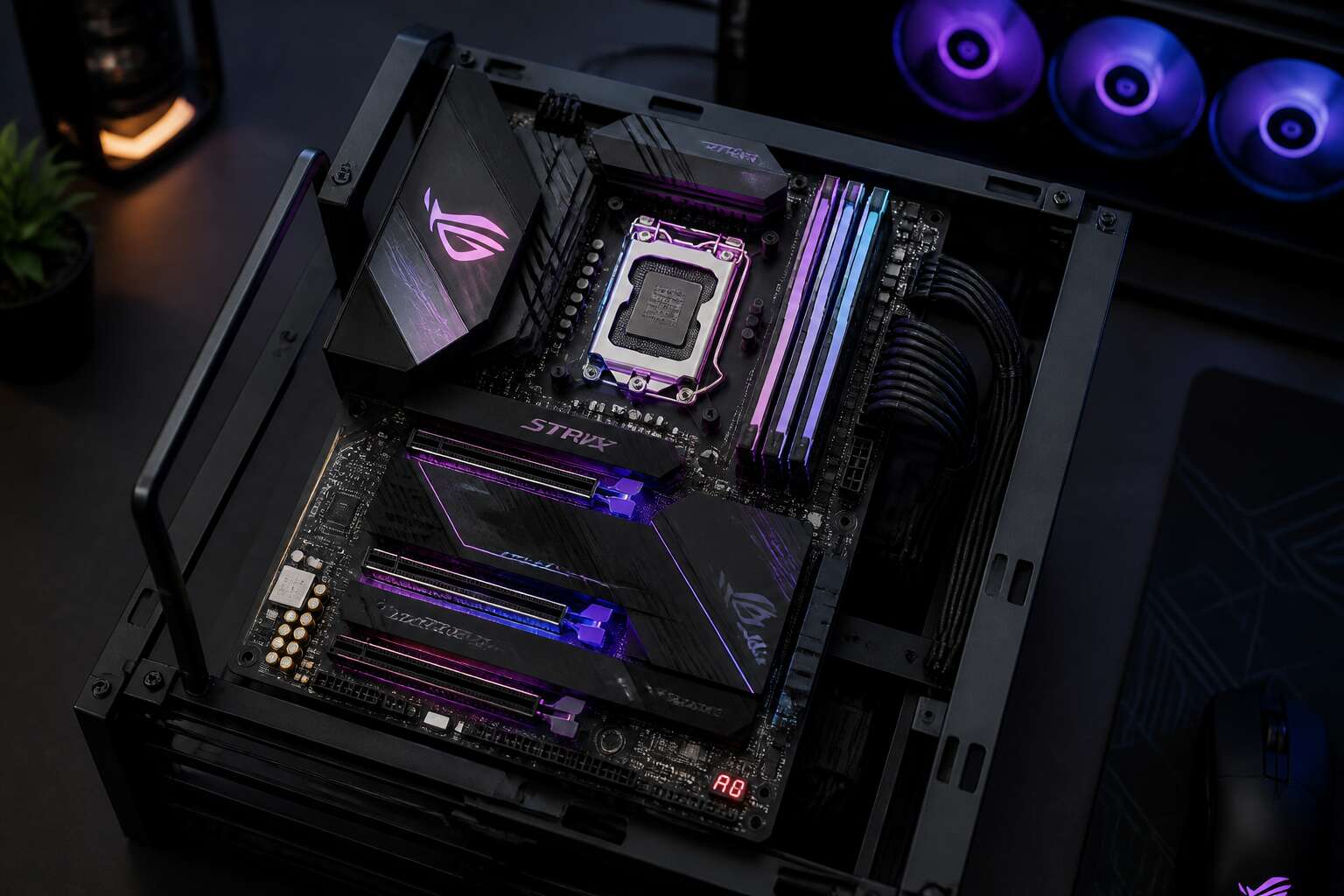
Performance and System Stability
Impact on CPU and GPU Performance
A motherboard’s power delivery system can shift your CPU’s peak frequency by hundreds of megahertz. When the voltage regulation modules, or VRMs, run cool and balanced, your processor sustains boost clocks without throttling. This is one of the overlooked benefits of motherboard design.
For GPUs, the PCIe slot’s electrical integrity matters. A well laid out board reduces signal noise, which prevents frame drops and system crashes. Stable power also protects your graphics card during intense rendering sessions.
- Check VRM phase count for high core count CPUs
- Confirm PCIe 4.0 or 5.0 lane support for modern GPUs
I have seen systems where a modest motherboard upgrade eliminated random reboots during gaming. That stability directly influences both CPU and GPU longevity!
Memory Channels and Data Transfer Speeds
Memory channels determine how much data your processor can pull from RAM at once. A motherboard with quad channel support moves information at twice the rate of a dual channel design. That extra bandwidth becomes obvious when compressing archives, rendering video, or running virtual machines. The benefits of motherboard layout also extend to data transfer speeds across PCIe lanes, M.2 slots, and USB ports. A well routed board keeps signals clean and reduces retransmission errors.
System stability often comes down to memory training and signal integrity. I have watched boards fail with high frequency RAM simply because they lacked adequate trace tuning.
These factors shape the experience:
– Memory channel count
– PCB trace quality
– BIOS support for high frequency kits
A stable memory subsystem prevents random app crashes and helps your machine stay responsive under heavy load.
Voltage Regulator Modules and Clean Power Delivery
The voltage regulator module operates in silence, yet its performance decides whether your system survives the night. Clean power delivery is the quiet contract between motherboard and processor. I have watched a board fail with high frequency RAM simply because its VRM could not filter ripple currents! That experience showed me the benefits of motherboard engineering in their rawest form.
- Phase count shapes load distribution
- Capacitor quality controls transient response
- Thermal design prevents power throttling
Without these elements, instability creeps into every task. A well designed power stage keeps voltages steady, reduces noise, and protects data integrity. The benefits of motherboard power design are often invisible until something goes wrong, then they become everything.
Thermal Management and Sensor Monitoring
Performance is not a single event, it is a sustained state. A motherboard’s trace routing and BIOS optimization determine whether your processor maintains its speed during long South African summers. I have seen systems throttle when the board fails to communicate thermal data quickly. The benefits of motherboard engineering surface in sustained workloads, where stability is measured in hours.
Thermal management begins with the board itself. Heatsinks on the chipset and M.2 slots, thick copper layers, and carefully placed thermal pads move heat away from critical components. A board that ignores airflow patterns will reduce the effectiveness of the best cooling fan.
- Monitor CPU package temperature
- Track VRM thermal margins
- Read system fan tachometers
Sensor monitoring transforms raw data into decisions. When the board reports accurate readings, you can adjust fan curves with confidence! The benefits of motherboard telemetry keep your system alive when ambient temperatures climb above thirty degrees.
Premium Chipsets and Overclocking Stability
Premium chipsets determine how far a processor can stretch beyond its factory limits. The benefits of motherboard design appear when overclocking reveals the board’s durability. A flagship chipset grants access to higher memory multipliers, additional PCIe lanes, and finer voltage granularity. These options matter during extended benchmarking sessions where stability is the entire game.
I have watched a system crash repeatedly on a budget board, yet achieve rock solid operation after a simple platform switch. The trace impedance, BIOS microcode, and phase control all contribute to that outcome. For overclocking stability, the board must respond consistently.
- Multiplier adjustments through the UEFI
- Load line calibration profiles
- Power excursion headroom
Each function feeds into the final result. The benefits of motherboard engineering become tangible when your overclock survives hours of prime95 without a single thread error. A premium chipset earns its price through these quiet victories. Overclocking is discipline, not luck.
Connectivity and Expansion Capabilities
PCIe Lanes and Multi-GPU Support
Most PC buyers fixate on the processor. The motherboard’s PCIe lane layout decides what you can add later. The benefits of motherboard design show up when you try to plug in a capture card, an NVMe drive, or a second graphics card. A board with enough physical slots and proper lane allocation lets you expand without sacrificing performance elsewhere. This matters for video editors and data workers as much as for gamers.
Extra lanes directly support:
- High speed NVMe storage arrays
- 10GbE network adapters
- Hardware capture cards for streaming
Multi-GPU support is a niche feature today, but for machine learning or rendering, two cards can cut processing time significantly. A PCIe 5.0 slot with x16 wiring gives you headroom. The chipset’s lane budget determines how much of that expansion stays active. The benefits of motherboard choice become clear only after you’ve owned it for years.
M.2 Slots and High-Speed Storage
M.2 slots reveal the motherboard’s long term value. I have seen buyers ignore these tiny connectors, only to regret it months later. The benefits of motherboard design become concrete when you need high speed storage. A board with two or three M.2 slots lets you run a boot drive and a working drive simultaneously. That is not a luxury. It is a practical shift!
Multiple M.2 slots enable:
– A separate operating system drive and project drive
– A dedicated cache for video editing software
– Direct backup without external docks
PCIe 4.0 and 5.0 slots change everything. A modern M.2 drive hits sequential reads beyond 7000 MB/s. But speed matters little if the slot sits under a GPU, cooking in residual heat. Good placement and a dedicated heatsink keep performance stable. The layout is an afterthought to many, yet it decides how your storage behaves under sustained load.
I prefer boards with multiple slots for one reason: flexibility. Adding a second NVMe drive costs minutes, not hours. The benefits of motherboard choice multiply when you never have to uninstall a game or archive footage just to free space.
USB Ports, Thunderbolt, and Peripheral Support
A single motherboard carries ten or more USB ports. That density decides whether your peripherals connect directly or through a stack of hubs. The benefits of motherboard design surface when every device connects at full speed. Thunderbolt 4 delivers 40 Gbps and daisy chaining for monitors, docks, and external storage. USB 3.2 Gen 2×2 handles 20 Gbps for fast transfers.
Common peripherals demanding bandwidth:
- Audio interfaces
- 4K webcams
- External NVMe enclosures
- MIDI controllers
I always check front panel headers before trusting a case’s USB-C port. A modern case with USB-C needs a matching header on the board. Without it, you lose access to the fastest connection on your desk! The benefits of motherboard selection result in fewer cables, fewer adapters, and fewer interruptions during critical work.
Built-in Wi-Fi and Ethernet Controllers
Reliable networking is the backbone of any serious workstation. A motherboard with a robust Ethernet controller, such as Intel’s I226-V, handles 2.5 Gbps without stuttering. Built-in Wi-Fi 6E opens the 6 GHz band, which is far less congested in apartment blocks. When your router sits in another room, that integrated antenna array saves you from buying a separate PCIe card.
I have seen users spend extra on mesh systems, only to bottleneck everything through a weak motherboard NIC. The benefits of motherboard design here are tangible: fewer components, lower latency, and consistent throughput. For South African conditions, where fibre dropouts happen, a controller with good interrupt handling keeps your video calls stable.
- Check for antenna ports on the rear I/O
- Verify operating system driver support
- Confirm Ethernet speed rating matches your switch
Onboard Wi-Fi also reduces cable clutter. A single motherboard can replace two separate expansion cards. That leaves your PCIe slots free for other upgrades. In a compact case, this matters immensely.
Audio Components and Onboard Features
The motherboard’s connectivity and expansion capabilities dictate how gracefully a system ages. A board with ample internal headers, such as fan and temperature sensors, prevents the need for external controllers. The audio components deserve equal scrutiny. A modern codec with discrete circuitry, like the ALC4080, delivers far cleaner output than legacy implementations. The benefits of motherboard design here are tangible: fewer points of failure and a quieter electrical environment. In South African homes, where power surges are common, robust onboard audio isolation protects your listening experience. I have seen boards with weak audio circuitry crackle under load, so this matters. Consider what a board offers out of the box.
- Optical S/PDIF output for digital audio
- Multiple fan headers with PWM control
- Thunderbolt header for case connectivity
These subtle inclusions shape long-term satisfaction. The benefits of motherboard engineering are measured in daily reliability.
Expansion Card Compatibility
A motherboard can silently invalidate your expansion plans. Compatibility often hides in the physical arrangement of slots. A board with generous spacing between PCIe x16 slots allows thick graphics cards to fit comfortably. When a GPU occupies one slot, a capture card or network card should still fit without blocking airflow. The benefits of motherboard layout become obvious when you install multiple devices.
Pay attention to the slot latch position and the clearance around the rear I/O. Some boards place the primary x16 slot too close to the RAM slots, forcing awkward installations. Others use reinforced slots that withstand heavy cards, but the reinforcement adds thickness.
- Check the number of PCIe slots and their electrical wiring
- Verify slot spacing against the thickness of your planned cards
- Consider riser cable support if vertical mounting is required
These factors matter in South Africa, where importing a replacement board is costly. Understanding the benefits of motherboard design protects your expansion choices for years.
Power Efficiency and Long-Term Reliability
Power Phase Design and Component Longevity
A single failing power phase can take down an entire system faster than any software error. In South Africa, where load shedding tests every component, the motherboard’s power phase design becomes your primary safeguard. A board with a higher phase count distributes electrical load evenly across MOSFETs and chokes. This reduces heat buildup and electrical stress, directly extending the lifespan of capacitors and regulators. The benefits of motherboard engineering shine when you consider that each extra phase lowers the temperature per component by a clear margin.
- Capacitors rated for 10,000 hours
- PCB layers that resist flexing
- Overcurrent protection circuits
Such design choices prevent the slow degradation that destroys cheaper boards. I have seen systems running daily for five years without a single crash, solely because the power delivery never faltered. That consistency matters more than any headline specification.
Efficient Voltage Conversion and Lower Heat Output
The efficiency of voltage conversion determines how much input power becomes waste heat instead of stable energy for your components. A motherboard that converts power efficiently runs cooler without aggressive fan curves or exotic cooling. For South African users, the benefits of motherboard engineering appear directly in electricity bills and backup system runtime.
A well-designed voltage converter maintains high efficiency across different load levels. Idle draw matters as much as peak output. Boards with higher efficiency ratings can lower system temperatures by several degrees, which directly affects fan noise and component stress. These benefits of motherboard design compound over years of daily operation.
- Lower electricity consumption over years of use
- Reduced heat accumulation inside the chassis
- More consistent performance during long sessions
Heat causes premature hardware failure. Efficient conversion means less heat to manage, which means thermal sensors report lower values and cooling systems work less hard. That translates to quieter operation and longer hardware life.
Quality Capacitors and Durable Construction
Capacitors and PCB layers rarely appear in marketing photos, yet they determine whether a board survives a South African summer. Quality capacitors handle voltage ripple better and age slower. A board with solid construction tolerates the grid fluctuations that plague older suburbs.
The benefits of motherboard build quality show up after two or three years, not on day one. Cheap boards develop microcracks from thermal cycling. Quality boards keep working. The difference is invisible until it matters.
– Solid capacitors resist heat degradation far longer than standard electrolytic units
– Thicker PCB copper traces reduce resistance and prevent hot spots
– Reinforced socket mounts absorb the stress of heavy coolers and repeated upgrades
These details matter more than flashy features. A motherboard that lasts five years instead of two halves the total cost of ownership.
Smart Power Management Features
Power efficiency is the overlooked quality of a well designed board. Smart power management features do not announce themselves, yet they govern every watt that passes through your system. In South African homes, where load shedding remains a recurring reality, this matters more than raw specifications.
- Idle state tuning reduces draw when the machine rests
- Dynamic phase shifting matches power output to demand
- Standby voltage regulation keeps components stable without waste
These functions extend the life of every connected part. A board that manages power intelligently avoids the slow degradation of voltage spikes. The benefits of motherboard design appear in the electricity bill and in the years of service. I have watched poorly regulated systems fail within months. A disciplined power delivery system simply endures.
Energy Savings and Environmental Benefits
Energy efficiency is how well a board converts incoming power into usable work. High conversion efficiency wastes less electricity as heat. That means lower running costs and a cooler chassis. The benefits of motherboard extend to the environment. Less wasted power means fewer emissions from the grid. Over three years, an efficient board can save enough energy to offset its manufacturing footprint. Long-term reliability follows the same path. Cooler components experience less thermal fatigue. Capacitors and MOSFETs last longer.
Consider the hidden cost of inefficiency!
- Wasted power becomes heat that cooling must remove
- Heat accelerates the aging of nearby components
- Higher temperatures shorten the lifespan of the CPU and RAM
A reliable board is a conservative board. It draws only what it needs. For South African users facing rising tariffs, the benefits of motherboard efficiency are financial and practical.
Upgradability and Future-Proofing
Socket Compatibility and CPU Upgrade Paths
Choosing a motherboard with forward thinking socket compatibility is one of the quieter benefits of motherboard ownership. The socket dictates your CPU upgrade ceiling. A board sharing its socket across multiple processor generations gives you headroom to install a faster chip years later without rebuilding the system.
These benefits of motherboard design appear when you least expect them. Intel’s LGA 1700 carried two core architectures, while AMD’s AM4 supported five generations of Ryzen processors through BIOS updates. That longevity matters where hardware costs carry real weight.
When assessing upgrade paths, verify three capabilities:
- Whether later CPUs draw power your board’s voltage regulation can sustain
- Whether BIOS updates are promised for your socket and specific model
- Whether the chipset retains its full feature set with a swapped in processor
These questions separate a board that ages gracefully from one locked to its launch day limits.Choosing a motherboard with forward thinking socket compatibility is one of the quieter benefits of motherboard ownership. The socket dictates your CPU upgrade ceiling, and a board that shares its socket across multiple processor generations gives you room to install a faster chip years later without rebuilding the system.
These benefits of motherboard design appear when you least expect them. Intel’s LGA 1700 carried two core architectures, while AMD’s AM4 supported five generations of Ryzen processors through BIOS updates. That longevity matters where hardware costs carry real weight.
When assessing upgrade paths, verify three things:
- Later CPUs draw power your board’s voltage regulation can sustain
- BIOS updates arrive for your specific model and revision
- The chipset retains full functionality with a newer processor installed
These questions separate a board that ages gracefully from one locked to its launch day limits.
RAM Capacity and Speed Headroom
The RAM configuration on a motherboard quietly dictates how long your build remains viable. Four DIMM slots let you add memory without discarding existing modules, a meaningful advantage in South Africa where component prices shift rapidly.
Speed headroom matters equally. A board rated for DDR5-6400 today accommodates faster kits as they become affordable. The trace layout and BIOS memory training define this ceiling, not the processor alone.
What separates a future-proof memory platform:
- Four slots with clearance for large heatsinks
- Official support for speeds above current mainstream kits
- BIOS training that handles mixed module configurations
These benefits of motherboard engineering save you from replacing functional RAM when faster options arrive. I’ve seen builders stuck with two occupied slots and no room to grow. Choosing a board with genuine memory headroom now prevents a forced upgrade cycle later. The benefits of motherboard memory design extend beyond the initial build.
BIOS and Firmware Update Support
Firmware updates are the overlooked enablers of motherboard longevity. A board receiving regular BIOS revisions can support newer CPUs, memory kits, and security patches years after purchase. In South Africa, where importing a new system carries heavy shipping costs, these benefits of motherboard design become a financial advantage. You do not replace hardware; you refresh it.
Some manufacturers treat BIOS updates as an afterthought. Others release them with impressive consistency. Check the support page before buying. Look for:
- Long update history for previous generations
- Clear changelogs explaining each revision
- Rollback protection to avoid bricking the board
I have watched a single BIOS update add years to a build’s relevance. These benefits of motherboard firmware support turn a static component into an evolving platform. That alone justifies a careful choice.
Forward-Compatible Storage and Connectivity Standards
A motherboard that adopts forward compatible standards accepts tomorrow’s hardware. You can attach a PCIe 5.0 NVMe drive years before it becomes mainstream, and the board still handles it. That is one of the practical benefits of motherboard design: the physical interface outlasts the components currently plugged into it. For South African buyers, this matters because upgrading a drive is cheaper than importing a new machine.
Consider how connectivity evolves. Newer boards often include:
- PCIe 5.0 slots for future graphics and storage
- USB4 ports that support 40Gbps transfers
- 2.5GbE LAN for faster network throughput
These standards let you keep your case and processor while swapping in faster peripherals. The board defines your system’s future. That reduces long term cost and electronic waste. A wise purchase today saves a full rebuild later.
Chassis and Cooling Upgrade Flexibility
Upgrading your chassis or cooling system often feels like a gamble. Will the new case fit your board? Will the AIO cooler align with the mounting holes? The benefits of motherboard standardization appear exactly here. ATX and mATX boards follow a layout that the entire industry respects.
This means you can move a motherboard into a new case with better airflow, or attach a larger tower cooler without soldering or adapters. The mounting points remain consistent. Fan headers and pump connectors are placed for easy access, so you can rewire everything in an afternoon.
- Swap a compact case for a full tower to fit more radiators
- Add a 360mm AIO when your current cooler limits your CPU
- Reuse the same board while changing the entire airflow strategy
That kind of flexibility reduces the pressure to buy a new system every time your cooling needs evolve.
Form Factor and Build Versatility
ATX, Micro-ATX, and Mini-ITX Layouts
Your case’s footprint dictates everything downstream. The benefits of motherboard sizing show up when you plan cable routes and component clearance. ATX boards dominate full towers, offering generous spacing between slots. Micro-ATX suits mid-size cases perfectly. Mini-ITX squeezes serious power into shoebox frames, ideal for rental apartments in Johannesburg and Cape Town.
I have assembled all three layouts. Each changes your approach:
- ATX gives room to work, but requires a large desk footprint
- Micro-ATX offers a practical middle ground with standard mounting points
- Mini-ITX demands patience, yet rewards you with portability
Form factor choice becomes clear during upgrades. Swapping a cooler or adding storage is far easier when your layout matches your case. Pick the size that fits your space first! The rest follows naturally.
Layout Efficiency and Cable Management
The benefits of motherboard design become tangible when you route cables through a crowded chassis. A board with well positioned headers shortens every connection path. SATA ports aligned with drive bays eliminate awkward stretches. Front panel connectors placed near the edge reduce zip tie contortions. Layout efficiency is quiet, but you notice it during every upgrade.
Build versatility emerges from the same geometry. A sensible arrangement of slots and sockets leaves room for oversized coolers and thick graphics cards. You reach the M.2 heatsink without removing the GPU. You swap RAM without unseating a radiator fan.
Consider what a refined layout gives you:
- Shorter cable runs that keep airflow unobstructed
- Fewer sharp bends that stress connectors
- Direct access to headers after the build is complete
These benefits of motherboard layout do not appear in spec sheets. I have felt them during every build, and that is where they matter.
Clearance for Oversized Coolers and GPUs
Form factor determines how much physical space remains around the most demanding components. A large mid tower paired with an E ATX board offers room for a 280 mm AIO and a 4 slot GPU.
The benefits of motherboard layout appear in these clearances. You need recessed socket zones and offset CPU power pins to prevent cooler brackets from colliding with VRM sinks. A smartly spaced PCIe area lets you mount a thick graphics card without blocking the chipset fan. Consider the following clearances before you choose:
- CPU cooler overhang versus top PCIe slot position
- RAM channel height against heatsink fins
- Rear I/O shroud depth relative to case standoffs
These measurements decide whether your build stays clean.
Ease of Access to Ports and Headers
A motherboard’s layout decides how easily you can build, upgrade, and maintain a PC. The benefits of motherboard design become obvious when you need to reposition a graphics card or install an additional M.2 drive. A well organised board allows component swaps without disassembling the entire system. This versatility is what separates a straightforward build from a weekend of frustration.
For ease of access, look at the placement of ports and headers. A thoughtful design puts the connectors where you can reach them without turning the case upside down. The essential points include:
- Front panel USB-C headers close to the SATA ports
- Fan headers along the board’s edge
- CPU power pins offset to avoid cooler bracket collisions
These small decisions matter. When each header is within reach, you avoid unseating the graphics card to plug in a fan. The true benefits of motherboard engineering show themselves during maintenance, not at the checkout counter.
Modular Feature Sets for Different Builds
The benefits of motherboard design become tangible when you compare boards built for different purposes. Form factor and build versatility now connect directly with modular feature sets. A mini-ITX motherboard for a compact office rig shares little with an extended ATX model designed for heavy computational work. Yet both offer removable components, such as adjustable fan hubs or detachable audio modules. These small choices give you control over the system’s configuration.
Modularity appears in specific ways:
- Swap standard I/O shields for customizable ones
- Add extra M.2 heat sinks where thermals matter
- Connect front panel headers via breakaway cables
Such configurations allow a single board to serve multiple roles, from a silent media center to a rendering station. The real value lies in aligning the motherboard’s capabilities with your workflow, not in chasing specifications.
Advanced Features for Enthusiasts and Professionals
Overclocking Profiles and BIOS Controls
Overclocking is not guesswork. It demands precision. A motherboard with robust BIOS controls lets you fine-tune per-core ratios, set custom voltage curves, and adjust load-line calibration. These settings, once locked in, become saved profiles you can recall instantly. The benefits of motherboard flexibility appear when you switch between daily quiet operation and benchmark mode.
Professionals need repeatability. A good BIOS includes memory training profiles and error recovery tools. I have seen boards that corrupt settings after a failed boot. Reliable firmware prevents that headache! Consider these essential overclocking features:
- Multiple profile save slots
- Direct frequency input
- Temperature-based fan control
- Unlocked voltage limits
Each profile stores your preferred frequency across all cores. This matters when testing cooling or benchmarking different cpus. The benefits of motherboard quality become obvious when every adjustment sticks without crashes.
Dual BIOS and Recovery Options
Every enthusiast eventually faces a failed flash. The benefits of motherboard design reveal themselves when a board can survive its own corruption. Dual BIOS is that safeguard: two physical firmware chips on the same PCB. If the primary chip becomes unusable, the backup restores it automatically. Beyond that, recovery options include:
- A dedicated reset button
- A USB BIOS FlashBack port
- A jumper that forces fallback to the factory image
These tools matter when testing beta firmware or pushing exotic memory profiles. Professionals cannot tolerate downtime; a board with these safeguards turns a catastrophe into a minor interruption.
For South African users dealing with fluctuating power, a corrupted BIOS after a load-shedding event is a real risk. The benefits of motherboard resilience show up exactly then. I have had a board brick itself after a power dip; the secondary chip saved me within minutes. No USB programmer, no RMA. Just a reboot and a quiet thank you to the engineers who added that second chip.
RGB Lighting and Software Integration
The benefits of motherboard design surface in the hidden layer of RGB lighting and software integration. A premium board offers a unified control panel, letting users choreograph every LED without third party apps. This matters when a build doubles as a workstation and a statement piece. In South Africa, where loadshedding can strike mid session, the same software provides instant status alerts through color changes.
For professionals, integration goes deeper. Hardware monitoring, fan curves, and RGB profiles live in one interface. Consider what a single utility can control:
- Per channel voltage sensing
- Firmware updates for connected peripherals
- Sync across multiple GPU brands
These options reduce setup friction. The benefits of motherboard software become tangible when a system adapts its glow to operating temperature. Enthusiasts gain granularity; professionals gain predictability. A well tuned board communicates more than elegance.
Diagnostic LEDs and Debug Tools
Diagnostic LEDs and debug tools turn a motherboard from a passive foundation into an active informant. When a build refuses to post, a row of tiny lights or a two digit code reveals the culprit instantly. No more guessing whether the RAM seated poorly or the GPU lost its lane. This is where the benefits of motherboard engineering become most visible to professionals who cannot afford downtime.
For South African builders, where loadshedding interruptions can leave components in odd states, these indicators save hours of troubleshooting. A quick glance at the debug readout tells you exactly what needs attention.
Some boards even offer:
- Onboard power and reset buttons for bench testing
- Clear CMOS switches without opening the case
- Per port status LEDs for connected devices
These tools transform frustration into a systematic process. The benefits of motherboard diagnostics extend beyond convenience; they protect your investment by making every failure legible.
High-End Audio and Networking Integration
The benefits of motherboard engineering extend to how a system sounds and connects. For professionals mixing audio or broadcasting live, the difference between a standard codec and a premium ESS Sabre DAC is audible. Discrete amplifier circuits drive high impedance headphones with authority, while shielded PCB layers keep electrical noise from corrupting the signal path. Networking integration receives equal attention. Multi-gig Ethernet controllers and Wi-Fi 6E modules provide latency figures that satisfy competitive gamers and video editors moving large files across a studio network.
Some boards take this further with:
- Dual 10GbE ports for direct NAS connections
- Software defined prioritisation for streaming traffic
- Advanced antenna arrays for congested wireless environments
These features deliver stability under heavy load. That matters when loadshedding forces you to finish critical work in a single session. The benefits of motherboard design become tangible when audio remains clean and connections hold firm. You notice the absence of dropped packets and static, not the presence of premium parts.
Workstation-Grade Reliability Features
South African professionals know the sting of interrupted work. I have watched a render die at 97 percent because of a memory glitch. A motherboard built for workstation duty tolerates conditions that would humble a consumer board. These boards use server-grade PCB material and reinforced sockets that survive years of thermal cycling. They support ECC memory, catching data corruption before it becomes a corrupted render or a failed financial model. The benefits of motherboard engineering become obvious when your rig runs three days straight under full load without a hiccup.
Workstation boards also bring management features once reserved for servers:
– Out-of-band remote management for diagnosing a stalled machine
– Redundant BIOS chips that self-heal after a failed update
– Extended burn-in testing at the factory for 24/7 operation
These capabilities protect the hours of work loaded into every project.
0 Comments